Divyang Accessibility: How to Make Websites Accessible in India?
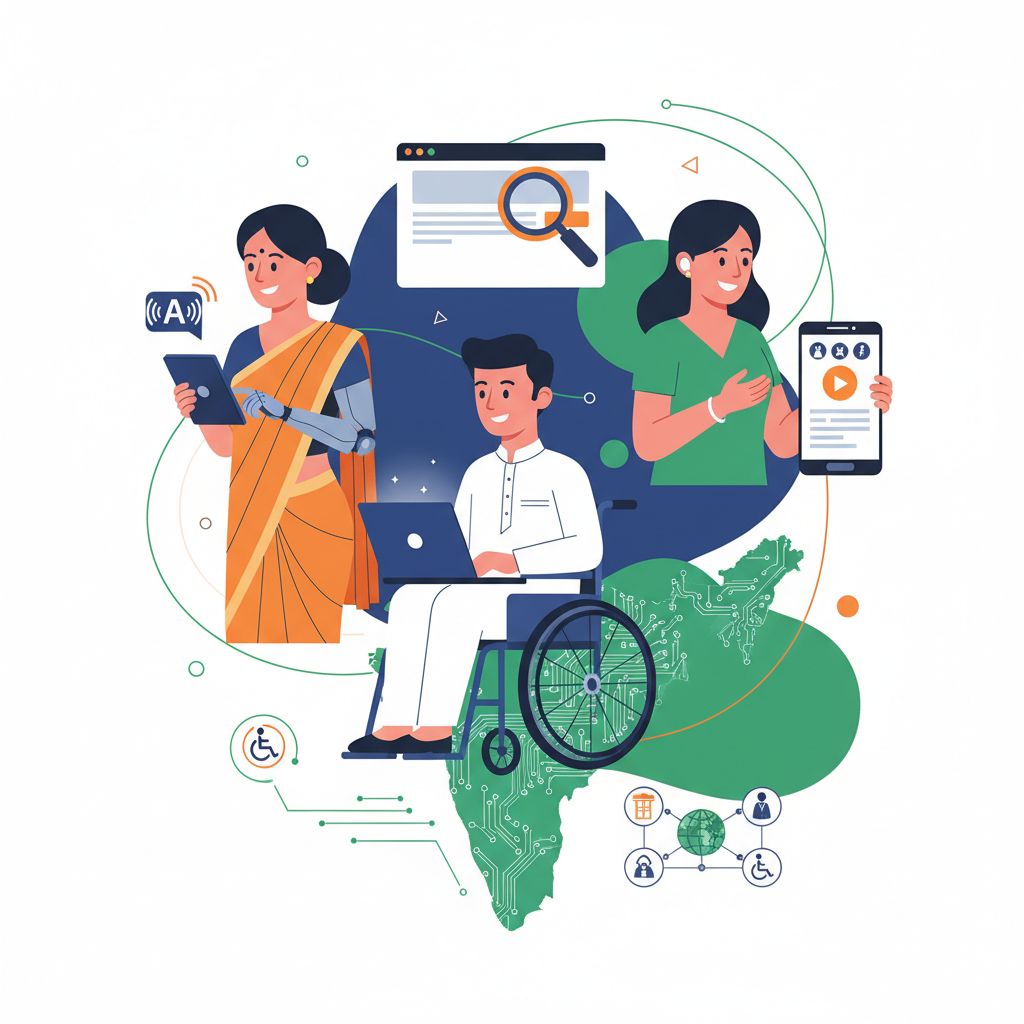
Learn how to make your website accessible for Divyang users in India. This guide covers WCAG guidelines, legal requirements, and practical steps to ensure your digital presence is inclusive for everyone. Making your site accessible is not just a legal requirement but a smart business decision.
Making your website accessible means ensuring that people with disabilities, including Divyangjan, can use it effectively. This involves designing and coding your site so that individuals using assistive technologies like screen readers, magnifiers, or special keyboards can navigate and understand your content. For a business, an accessible website broadens your audience, improves SEO, and aligns with legal and ethical standards in India.
Why is Web Accessibility Important for Divyang Users?
Web accessibility is crucial for digital inclusion. For Divyang users, the internet is a powerful tool for education, employment, e-commerce, and accessing essential services. An inaccessible website creates barriers, effectively excluding a significant portion of the population. In India, where the number of persons with disabilities is substantial, digital exclusion has profound social and economic consequences. By making your website accessible, you empower Divyang entrepreneurs and customers to participate fully in the digital economy.
Legal and Business Case for Accessibility in India
India's Rights of Persons with Disabilities Act, 2016, mandates that all public and private establishments providing services to the public must ensure their websites and digital content are accessible. Non-compliance can lead to legal challenges. Beyond the law, the business case is strong. An accessible website reaches a wider market, including the millions of Divyangjan and an ageing population that also benefits from accessible design. It enhances your brand reputation, showing a commitment to social responsibility and inclusion. Furthermore, many accessibility practices, like using proper headings and alternative text for images, directly improve your site's Search Engine Optimization (SEO), helping all users find you more easily.
What are the Web Content Accessibility Guidelines (WCAG)?
The Web Content Accessibility Guidelines (WCAG) are the global standard for web accessibility. Published by the World Wide Web Consortium (W3C), they are organized around four core principles, often remembered by the acronym POUR.
- Perceivable: Users must be able to perceive the information being presented. This means providing text alternatives for non-text content (like images), offering captions for videos, and ensuring content is presented in different ways without losing its meaning.
- Operable: Users must be able to operate the interface. The website must be navigable with a keyboard only, give users enough time to read and use content, and must not contain anything that could cause seizures (like rapidly flashing lights).
- Understandable: Users must be able to understand the information as well as the operation of the user interface. The language of the content should be readable and predictable, and the website should help users avoid and correct mistakes.
- Robust: Content must be robust enough that it can be interpreted reliably by a wide variety of user agents, including assistive technologies. This means using clean HTML and CSS that follows standards.
Official guidelines can be complex. We recommend consulting the W3C website for detailed specifications. Scheme rules and legal interpretations can also change; always verify current standards before undertaking a major redesign.
How to Make Your Website Accessible: A Step-by-Step Guide
Making a website accessible involves a series of practical steps. While some require technical knowledge, many are based on good content and design practices. Here is a step-by-step approach for Indian businesses and startups.
1. Use Semantic HTML
Structure your content correctly using HTML tags. Use <h2> for main headings and <h3> for sub-headings, <p> for paragraphs, and <ul> or <ol> for lists. This structure is essential for screen reader users to understand the layout and navigate the page. For Divyang Startup, our entrepreneurship courses for Divyangjan are structured this way so learners can easily find modules.
2. Provide Alternative Text for Images
Every image that conveys information must have "alt text" (alternative text). This is a short, descriptive sentence that a screen reader reads aloud. If an image is purely decorative, it should have an empty alt attribute (alt=""). For example, for an image of a person using a laptop, the alt text could be: "A Divyang entrepreneur managing their online business from a wheelchair."
3. Ensure Keyboard Navigation
Many users with motor disabilities cannot use a mouse. They rely on a keyboard to navigate websites. Ensure that all interactive elements—links, buttons, form fields—can be accessed and activated using the Tab key. The visible "focus indicator" (usually an outline) must be clear so users know where they are on the page.
4. Use High-Contrast Colours
Users with low vision may struggle to read text if the contrast between the text and background is too low. WCAG recommends a minimum contrast ratio of 4.5:1 for normal text. Use online contrast checkers to test your colour combinations. For example, light grey text on a white background is a common accessibility failure.
5. Add Captions and Transcripts for Media
For users who are deaf or hard of hearing, videos must have synchronized captions. For pre-recorded audio, a transcript should be provided. This not only helps Divyang users but also benefits people in noisy environments or those who prefer to read content. Providing transcripts can also boost your SEO by making your audio and video content indexable by search engines.
6. Write Clear and Simple Content
Clarity benefits everyone, especially users with cognitive or learning disabilities. Write in plain language, avoid jargon, and explain any abbreviations. Keep sentences and paragraphs short. Our articles on complex topics like the Mudra Loan Scheme for entrepreneurs aim for simple language to ensure everyone can understand the process.
What are some Free Accessibility Testing Tools?
You don't need a big budget to start testing your website's accessibility. Several free tools can help you identify common issues. While they don't replace manual testing (especially with actual Divyang users), they are an excellent starting point.
- WAVE (Web Accessibility Evaluation Tool): A browser extension that visually displays accessibility issues directly on your page.
- AXE DevTools: Another powerful browser extension that helps developers find and fix accessibility defects.
- Lighthouse: Built into Google Chrome's Developer Tools, it includes an audit for accessibility that provides a score and a list of improvements.
Using these tools can help you check for issues like missing alt text, low contrast, and improper heading structures. For those wanting to learn more, consider exploring resources on our Divyang Startup blog for further guidance.
Key Takeaways for Indian Startups
- Legal Requirement: The Rights of Persons with Disabilities Act, 2016, makes web accessibility a legal mandate in India.
- Follow WCAG: Use the POUR principles (Perceivable, Operable, Understandable, Robust) as your guide.
- Start with Basics: Focus on clear structure (semantic HTML), alt text for images, keyboard navigation, and high-contrast colours.
- Business Growth: An accessible website expands your market reach to Divyang customers and improves overall SEO.
- Use Free Tools: Begin testing your site with free tools like WAVE, AXE, or Lighthouse to find and fix common errors.
Conclusion
In a Digital India, accessibility is not an optional feature—it is a fundamental requirement for an inclusive society and a smart business practice. By taking deliberate steps to make your website accessible, you open your doors to Divyang entrepreneurs, customers, and employees. This commitment helps you comply with the law, enhance your brand, and contribute to a more equitable digital landscape. Start with small, manageable steps, use the free tools available, and always keep the diverse needs of your users at the forefront of your design philosophy. If you need further guidance, explore our frequently asked questions or reach out to our team for mentorship.